
How to Set Up Direct Deposit: Step-by-Step Guide for 2026
Learning how to set up direct deposit is one of the simplest moves you can make to speed up paydays, eliminate paper checks, and unlock perks like early-paycheck access at many banks. With direct deposit, your employer (or payer) electronically pushes funds from their bank account to yours through the ACH network — typically arriving on payday morning, sometimes a day or two earlier. Here's exactly what you need, who to give it to, and how long the whole thing takes.
What Information You Need to Set Up Direct Deposit
Before you start, gather these details for the account you want money sent to:
- Your bank's routing number (a 9-digit ABA number)
- Your account number (typically 8–12 digits)
- The account type (checking or savings)
- The bank's name and address
- Your full legal name as it appears on the account
You can find the routing and account numbers at the bottom of a paper check, in your online banking app under "account details," or by calling your bank. Some employers also accept a voided check or a pre-filled "direct deposit form" that your bank can generate in one tap.
If you bank with a fintech app like Current Banking, the routing and account numbers are usually right on the dashboard or under a "Set up direct deposit" button that pre-fills the form for you.
Step 1: Choose the Right Account
Direct deposit can land in either a checking account or a savings account, but checking is the standard choice for paychecks because you'll need to spend or transfer the money. Some workers split a paycheck between two accounts — sending most to checking for bills and a fixed amount to savings for goals — to automate saving without thinking about it.
If you're opening a new checking account specifically to receive direct deposit, look for one with no monthly service fee, no minimum balance, and free outbound ACH transfers. Many online and mobile-first accounts also offer early-paycheck access, releasing your direct deposit up to two days before payday by crediting funds the moment the ACH file is received.
Current Banking is a strong fit if you want a mobile-first checking account built for direct deposit. The account surfaces your routing and account numbers right on the dashboard, charges no monthly service fee, and can release your paycheck up to two days early once the ACH file arrives.
Current Banking

Current Banking
Current is a mobile-first banking app with no monthly fee and no minimum balance. Members can earn up to 4.00% APY with a qualifying direct deposit of $200, receive direct-deposit paychecks up to 2 days early, and overdraft up to $200 fee-free.
Standout feature
4.00% APY on Savings Pods (with a $200+ qualifying direct deposit) plus paycheck up to 2 days early — both included on the standard account for free
Fees
Free
Pros
$0 monthly fee; up to 4.00% APY on Savings Pods with qualifying direct deposit; paycheck up to 2 days early;
Cons
No physical branches
Step 2: Get the Right Form
Most direct-deposit setups happen through one of three channels:
- Employer / payroll: Ask HR for the company's direct deposit authorization form, or check the payroll portal (ADP, Gusto, Paychex, Workday, Rippling, etc.) for a self-service option.
- Federal government: Use Direct Deposit on SSA.gov for Social Security, the IRS Get My Payment tool for tax refunds, or your state unemployment portal for benefits.
- Other recurring income: Royalties, freelance contracts, gig platforms (Uber, DoorDash), and pension funds typically have a banking-info page in your account settings.
The form will ask for the routing number, account number, account type, and — usually — your authorization signature.
Step 3: Submit and Verify
Upload the form to your employer's portal, or hand it to HR with a voided check attached. Some payroll systems require a "micro-deposit" verification: the system sends two small deposits (often a few cents) to your account that you confirm to prove ownership.
Watch your account for those test deposits over the next 1–3 business days. Once verified, your direct deposit is live.
Step 4: Wait One Pay Cycle
In most cases, direct deposit takes effect the next pay cycle after you submit the form — but employers often send a final paper check to bridge the gap. Confirm with HR exactly when the switch happens. If you're switching banks, leave the old account open for at least one pay cycle so you don't miss a check while the new ACH instructions take hold.
How to Switch Direct Deposit to a New Bank
Switching banks is the most error-prone direct-deposit task because a missed paycheck is painful. The clean process:
- Open the new account and confirm you have the routing and account numbers.
- Submit the new direct-deposit form to your employer.
- Keep the old account funded for at least one full pay cycle.
- After the first paycheck lands at the new bank, redirect autopay and recurring transfers to point at the new account.
- Once everything is flowing through the new account, close the old one (don't leave a small balance — fee creep can put it negative).
Before you pull the trigger on step five, it's worth confirming the credit-report side of the question — our explainer on does closing a checking account affect your credit score walks through the rare cases where the close actually shows up in your FICO file and how to time it cleanly.
Some banks offer a "switch kit" or automated payroll-redirect tool that sends the form to your employer for you. It's worth using when available.
Chime is another popular pick for receiving direct deposit, especially if early access to your paycheck matters. The Chime account can post your pay up to two days early when your employer submits the ACH file ahead of payday, and it carries no monthly service fees on the receiving side.
Chime

Chime
- Fee-free banking plus early pay access (up to 2 days early with direct deposit)¹ - Overdraft up to $200 without fees for eligible members¹ - 5% cash back on category of choice (with qualifying direct deposit)¹ - 3.75% APY on your savings¹
Standout feature
No credit check, no interest, no annual fee, and no minimum deposit required.
Fees
$0
Pros
Fee-Free Banking and Get paid up to 2 days early
Cons
App/online-only support, no branches
Direct Deposit and Credit Building
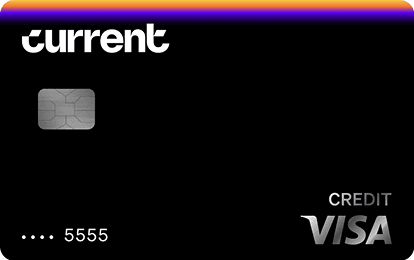
Direct deposit doesn't directly affect your credit score — the credit bureaus don't see your paycheck. But it can unlock products that do build credit. The Current Build Card reports your spend and on-time activity to all three major credit bureaus and pairs naturally with the Current Banking checking account that receives direct deposits.
Current Build Card
Current Build Card
$0 annual fee. No minimum deposit required. No credit check required. 1 point per dollar on eligible categories. Reports to Experian, TransUnion, Equifax.
Fee
$0
APR
0%
Minimum Deposit Amount
$0
Credit Check
No
Cashback
1 point/dollar on eligible categories (with qualifying payroll deposit)
Benefit
No credit check, no deposit minimum
Some lenders also weight direct-deposit history when underwriting credit-builder loans — the Self.Inc Credit Builder Account and the Self Visa® Credit Card both run on autopay from a checking account, so direct deposit makes those payments seamless and on time — the single biggest factor in building credit.
Common Mistakes to Avoid
- Wrong routing or account number. Even one transposed digit will reject or, worse, deposit into someone else's account. Triple-check.
- Closing the old account too soon. If your employer hasn't switched the deposit yet, the next paycheck bounces.
- Confusing the routing number with the wire-transfer routing number. Some banks use a separate routing number for wires versus ACH. For direct deposit, use the ACH routing number (the one printed at the bottom of your check).
- Splitting the deposit incorrectly. If you're routing 50% to savings and 50% to checking, confirm the percentages and minimum amounts — some employers require fixed-dollar splits with a remainder going to a primary account.
- Forgetting to verify micro-deposits. Some payroll systems pause activation until you confirm the test deposits.
Frequently Asked Questions
How long does direct deposit take to start?
Direct deposit typically activates within one to two pay cycles after you submit the authorization form. Some employers can process it as fast as the next pay date, while others require a paper check for the first cycle to confirm the ACH instructions. Ask HR for the exact timing.
Can I split my direct deposit across multiple accounts?
Yes, most employers and payroll systems support splitting one paycheck across multiple bank accounts — either by percentage or by fixed dollar amount. This is a common automation for routing a set amount to a savings or credit-builder account every payday and the rest to checking.
Do I need a checking account to receive direct deposit?
No. Direct deposit works with any account that has a routing and account number, including savings accounts, money market accounts, and most prepaid debit cards. Checking is the most common destination because you'll need to access the funds for bills, but it's not required.
Is direct deposit free?
For employees, direct deposit is almost always free. The employer pays a small per-transaction fee to its payroll provider. Employers actually save money compared to printing and mailing paper checks, which is why most companies encourage it. Confirm with your bank that there's no fee on the receiving side — reputable banks do not charge to receive ACH credits.
Related Reading
- Checking Account: How It Works and How to Choose One
- Free Checking Account: What 'Free' Actually Means in 2026
- ACH Payment: How It Works, How Long It Takes, and What It Costs
- Routing Number Explained: What the 9 Digits Mean
- What Is a Bank Account? Types, Features, and How to Pick One




