If you subscribe to creators on OnlyFans, you have probably worried about how the charge looks on your bank statement, whether your real card number is exposed in a breach, and how to keep payments separated from your main account. A virtual credit card solves most of those problems by giving you a temporary card number that links back to your real account but hides the original digits.
This guide explains how virtual credit cards work for OnlyFans, what the privacy trade-offs are, and which options make sense in 2026.
What Is a Virtual Credit Card?
A virtual credit card is a digital card number generated by a bank or fintech app. It looks like a normal 16-digit card number with an expiration date and CVV, but it is tied to your real account behind the scenes. When you use the virtual number to pay, the merchant only sees the virtual digits, not your real card.
Most virtual cards let you set a spending cap, lock the card to a single merchant, and disable it instantly if something goes wrong.
Why People Use Virtual Cards for OnlyFans
Three common reasons:
- Privacy: the merchant only ever sees the virtual number, not your real card. If OnlyFans suffers a data breach, your main card stays safe.
- Spend control: you can set a $25 monthly cap and the virtual card will decline any charge above it. No surprise renewals.
- Statement clarity: virtual cards from a fintech let you label the card and see the merchant clearly on the statement, instead of a generic processor name.
The OnlyFans charge typically appears as "OnlyFans" or "OF Inc" on a real card statement. A virtual card with merchant locking ensures only OnlyFans can charge it.
Current Build Card
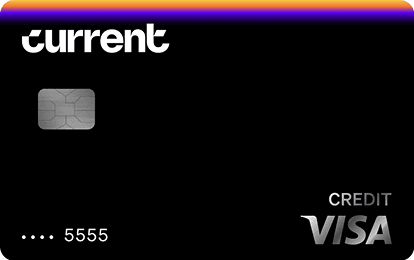
Current Build Card
$0 annual fee, 0% APR. No minimum deposit required. No credit check required. 1 point per dollar on dining and groceries. Reports to Experian, TransUnion, Equifax.
Fee
$0
APR
0%
Minimum Deposit Amount
$0
Credit Check
No
Cashback
1 point/dollar on dining & groceries (with qualifying payroll deposit)
Benefit
No credit check, no deposit minimum, no APR
Best Virtual Credit Card Options
Several products work for OnlyFans payments:
- Privacy.com cards: generate single-use or merchant-locked virtual cards funded from your bank. Free for personal use up to 12 cards a month.
- Bank-issued virtual cards: Capital One, Citi, and many credit unions offer virtual numbers from their main app for free.
- Apple Pay / Google Pay tokenization: these are technically virtual numbers behind the scenes. Every charge uses a one-time-use token, not your real card.
- Credit-builder cards with virtual support: the Current Build Card lets you generate virtual numbers from the app and reports payments to all three credit bureaus while you build credit.
If you want privacy and credit-building in one product, Current Build Card is one of the only credit-building cards that supports virtual numbers and reports to Experian, TransUnion, and Equifax.
How to Set Up a Virtual Card for OnlyFans
The flow looks like this for most apps:
- Open your bank or fintech app and tap "Generate virtual card" (sometimes labeled "Disposable card" or "Single-use card").
- Set a spending cap. For a $9.99 OnlyFans subscription, a $25 monthly cap leaves room for tips.
- Lock the card to a single merchant if the option exists.
- Copy the virtual card number, expiration, and CVV.
- Paste them into OnlyFans payment settings.
The virtual card replaces your real card on file. Future renewals run through the virtual number instead of your real account.
Will OnlyFans Accept a Virtual Card?
OnlyFans accepts most virtual cards as long as the BIN (the first six digits) matches a recognized card network like Visa or Mastercard. A few specific virtual-card products have been declined in the past:
- Some prepaid cards (without a real banking back-end) are declined.
- Some fintech accounts that flag adult-content merchants are blocked.
Privacy.com's standard merchant-locked cards generally work on OnlyFans, as do bank-issued virtual cards from Capital One and Citi. Always have a backup card ready in case the first one is declined.
Privacy Beyond the Card Number
Using a virtual card stops the merchant from seeing your real card number, but other privacy considerations matter:
- Statement description: your bank statement will still show "OnlyFans" or similar. To hide this, link the virtual card to a separate sub-account if your bank offers them.
- Email address: use a forwarded email address (like Apple's Hide My Email or a SimpleLogin alias) instead of your real email when signing up for OnlyFans.
- Display name: pick a screen name unrelated to your legal name.
Privacy is layered. Pairing a virtual card with an email alias and a screen name is far more private than just one of those alone.
Virtual Cards and Credit Building
Most virtual cards are funded from your debit account or main credit card, so the underlying credit-building work happens at the funding source, not the virtual card.
If you are still building credit and want every monthly charge to count, fund the virtual card with a credit-building card. The Self Visa® Credit Card is one option that reports to all three bureaus. Pay the Self Visa balance on time each month and your OnlyFans subscription becomes a small but real credit-building habit.
For free credit monitoring while you build, Creditship tracks your score and gives clear next-step advice.
Common Mistakes to Avoid
- Setting the spend cap too low. A $10 cap on a $9.99 subscription leaves no room for OnlyFans's tax or processor fees, and the card will decline.
- Using a one-time-use card for a recurring subscription. Pick "Merchant locked" instead so the card works for renewals.
- Forgetting to fund the virtual card. Privacy.com pulls funds from your linked bank in real time. If the bank is empty, the charge fails.
- Re-using the same virtual card for multiple sites. Privacy is strongest when each merchant has its own card.
Frequently Asked Questions
Does OnlyFans accept virtual credit cards?
Yes, most major virtual cards work, including Privacy.com merchant-locked cards, Capital One virtual cards, Citi virtual cards, and Apple Pay or Google Pay tokenized cards. Some prepaid-only virtual cards may be declined.
Will OnlyFans show up on my bank statement?
Yes, OnlyFans charges typically appear as "OnlyFans" or "OF Inc" on the underlying funding source. A virtual card hides your real card number from OnlyFans but does not change how the charge looks on your statement.
Can I use a virtual card to subscribe anonymously?
A virtual card hides your real card number but does not make you anonymous. OnlyFans still has your name, email, and IP address from the signup. For full anonymity, pair a virtual card with a privacy-focused email alias and a screen name unrelated to your legal name.
Do virtual cards build credit?
The virtual card itself does not build credit. The underlying funding source does. If you fund the virtual card from a credit-building card or a credit-builder loan, those products will report your payment history to the credit bureaus and help your score.