If you have a Chime account and someone wants to send you money through Zelle, you may have already run into a problem. Chime and Zelle are not compatible, and the situation became permanent in April 2025 when Zelle shut down its standalone app. Understanding why chime zelle transfers don't work -- and what you can do instead -- saves you from a frustrating dead end.
Does Chime Use Zelle?
No. Chime does not support Zelle. You cannot send or receive Zelle payments through your Chime account.
Zelle works through a network of participating banks and credit unions that have built Zelle directly into their banking apps. Chime is a financial technology company whose partner banks (The Bancorp Bank, N.A. and Stride Bank, N.A.) are not part of Zelle's participating institution network. That means there is no path to connect Chime to Zelle, regardless of which device or method you try.
What Changed in April 2025?
Before April 2025, some Chime users had found a workaround: using the standalone Zelle app by linking a Chime debit card. That option is no longer available. Zelle discontinued its standalone app in April 2025. Now, Zelle only works through the banking app of a participating bank or credit union.
Since Chime's partner banks are not Zelle participants, there is currently no way for Chime users to use Zelle in any form.
If someone asks "can you Zelle with Chime" or "can Chime use Zelle," the honest answer in 2026 is simply: no.
Chime

Chime
- Fee-free banking plus early pay access (up to 2 days early with direct deposit)¹ - Overdraft up to $200 without fees for eligible members (limits start at $20)¹ - 5% cash back on category of choice (with qualifying direct deposit)¹ - Up to 4.00% APY on savings with Chime Prime (3.00% Plus, 1.00% standard), as of 10/06/2026¹
Standout feature
No credit check, no interest, no annual fee, and no minimum deposit required.
Fees
$0
Pros
Fee-Free Banking and Get paid up to 2 days early
Cons
App/online-only support, no branches
How to Send Money From Chime Without Zelle
Not having Zelle doesn't mean you're stuck. Chime has its own peer-to-peer payment tool, and several widely-used apps can connect to your Chime account.
Chime Pay Anyone
Chime Pay Anyone is the built-in way to send money from your Chime account to virtually anyone:
- Chime to Chime transfers are instant and free. If the recipient also has Chime, the money lands in seconds.
- Chime to non-Chime recipients also works. Chime sends the person a link by email or text to claim the money. They can receive it even without a Chime account.
- No fees, no minimums, no waiting.
To use it, open the Chime app, tap "Pay Anyone," and enter the recipient's phone number or email address. For people-to-people payments within the Chime ecosystem, this is a direct replacement for Zelle.
Venmo
You can link your Chime debit card or Chime bank account to Venmo and use it to send money. Venmo transfers funded by a linked bank account are free for standard delivery (1-3 business days). Instant transfers carry a fee.
Cash App
Cash App also connects to Chime via your debit card or account number. Standard bank-funded transfers are free. If you regularly send or receive money through Cash App and Chime, check out our step-by-step guide on how to transfer money from Chime to Cash App.
PayPal
PayPal accepts Chime as a linked bank account. You can send money to anyone with a PayPal account or email address, typically for free when using your linked bank balance.
Why Chime's Pay Anyone Is Often Better Than Zelle for Chime Users
For Chime members specifically, Pay Anyone offers some advantages over Zelle:
- Works for both Chime and non-Chime recipients without requiring the other person to have any particular bank
- Completely free with no transaction fees
- Available 24/7 with no transfer minimums
- Sending to another Chime member is instant
The main downside is that recipients without Chime need to follow a link to claim their payment, which adds a small step. Zelle, by contrast, delivers directly to any participating bank account. For people whose entire payment network is on traditional banks, Zelle can be more seamless.
What About Receiving Zelle From Someone Else?
If a friend or family member sends you money through Zelle using your phone number or email, and your Chime account is listed as the linked account -- it won't work. The Zelle payment will not reach your Chime account because Chime is not a participating Zelle institution.
Let the sender know you can't receive Zelle, and share your Chime Pay Anyone details, Venmo handle, or Cash App $Cashtag instead.
Does Direct Deposit Timing Affect Transfers?
Unrelated to Zelle, but worth knowing: Chime's direct deposit can arrive up to two days early. If you're managing cash flow and timing transfers, setting up direct deposit maximizes how early funds are available.
If you're also exploring other neobanks with different P2P features, the roundup of apps like Chime covers which alternatives include Zelle support.
If you are open to a different neobank, Current is a mobile banking app with no monthly fee and no minimum balance, where direct-deposit paychecks can also arrive up to 2 days early. Current does not offer Zelle either, so you would still send money through apps like Venmo, Cash App, or PayPal. As of November 2026, Current members can also add the Current Build Card, a secured charge card with no credit check, no annual fee and no interest that reports payments to all three bureaus.
Current Banking

Current Banking
Current is a mobile-first banking app with no monthly fee and no minimum balance. Members can earn up to 4.00% APY with a qualifying direct deposit of $200, receive direct-deposit paychecks up to 2 days early, and overdraft up to $200 fee-free.
Standout feature
4.00% APY on Savings Pods (with a $200+ qualifying direct deposit) plus paycheck up to 2 days early — both included on the standard account for free
Fees
Free
Pros
$0 monthly fee; up to 4.00% APY on Savings Pods with qualifying direct deposit; paycheck up to 2 days early;
Cons
No physical branches
Current Build Card
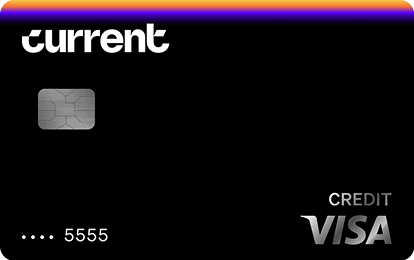
Current Build Card
$0 annual fee. No minimum deposit required. No credit check required. 1 point per dollar on eligible categories. Reports to Experian, TransUnion, Equifax.
Fee
$0
APR
0%
Minimum Deposit Amount
$0
Credit Check
No
Cashback
1 point/dollar on eligible categories (with qualifying payroll deposit)
Benefit
No credit check, no deposit minimum
Frequently Asked Questions
Does Chime support Zelle?
No, Chime does not support Zelle. Chime's partner banks are not part of the Zelle network of participating institutions, so you cannot send or receive Zelle payments through your Chime account. This has been the case throughout 2026, and the situation became permanent when Zelle discontinued its standalone app in April 2025.
Can you Zelle with Chime using a workaround?
No workaround currently exists. The previous method of linking a Chime debit card to the standalone Zelle app stopped working when Zelle shut down that app in April 2025. Zelle now only operates through banking apps at participating institutions, and Chime is not among them.
What should Chime users use instead of Zelle?
Chime's built-in Pay Anyone feature is the most direct alternative. It lets you send money free to anyone with or without a Chime account, and transfers between Chime members are instant. Venmo, Cash App, and PayPal also connect to Chime and offer free standard transfers.
Can I receive a Zelle payment into my Chime account?
No. Even if someone sends you money through Zelle using your phone number or email address, the payment cannot be deposited into your Chime account. Chime's partner banks do not participate in the Zelle network. Ask senders to use Pay Anyone, Venmo, Cash App, or PayPal instead.

The Firstcard team writes simple, research-backed guides on credit, cards, and credit building. Firstcard has been helping people build credit and save money since 2020. Full profile and latest articles →